
Guide
Embed a route on your website
Show your readers exactly where to go. With DiscoverTrail you can turn any planned hiking route into an interactive map and embed it on your website or blog – it only takes a few taps.
- Step 1
Download DiscoverTrail to your mobile phone


- Step 2
Set the route you want to share. There are 2 ways of doing this
A Long press on the map and choose points 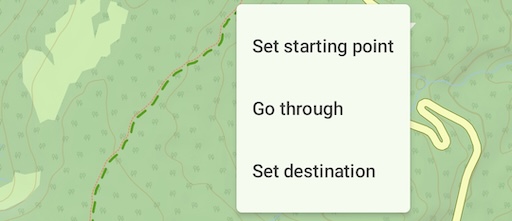
B From route panel 
- Step 3
When the route is ready, save it.

- Step 4
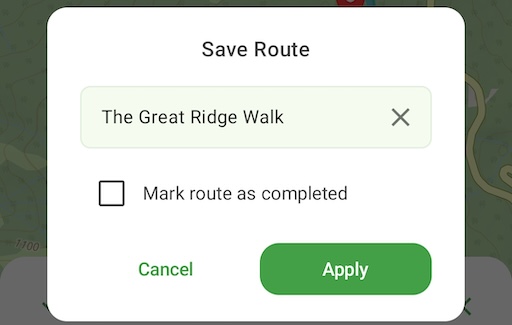
Make up a name for it. Other options are not relevant.
- Step 5
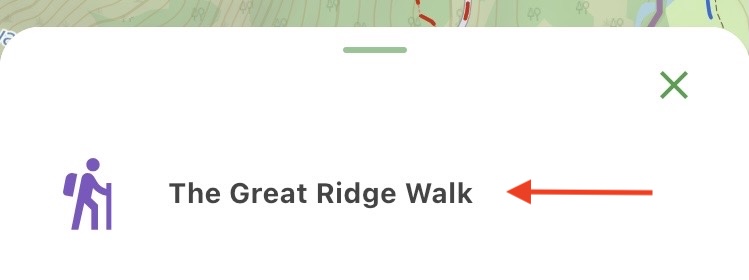
Choose saved route

- Step 6
Click Share button

- Step 7
Choose Embed on website

- Step 8
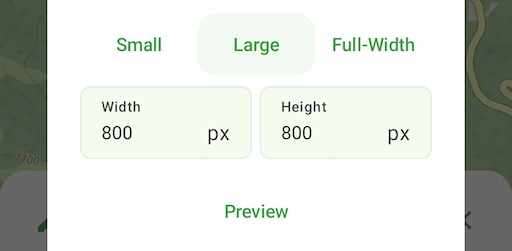
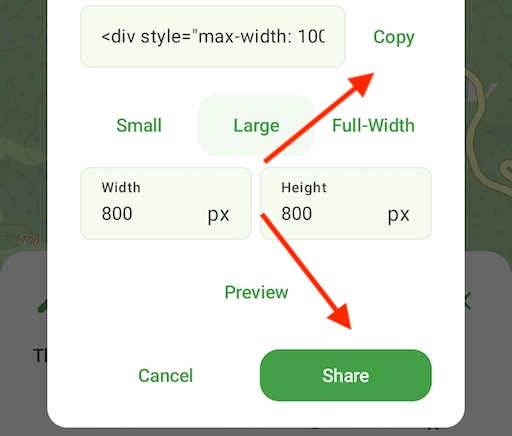
Choose size of your map. You can see how it looks by clicking Preview.
- Step 9
When everything is set up, you will get generated HTML code which you can embed on your website.

- Step 10
You can either copy the HTML code, or click Share to send it to yourself, for example on email.
Sample map
This is what an embedded route looks like – pan, zoom and explore it.

Ready?
Download DiscoverTrail and discover your next hiking adventure!